


Welcome back to the Business Leaks miniseries — where we plug the holes in your Amazon FBA business that are quietly draining your profit.
Today’s topic: Reimbursements.
There was a time when reimbursements on Amazon were pretty straightforward. You’d send in inventory, something would go wrong and Amazon would pay you back fairly. Simple But lately? Not so much.
Now, sellers are finding that Amazon reimburses you less than what you paid, sometimes significantly less. For example, if you paid £50 for a bottle of perfume, you might get reimbursed £30, £20, or even less, depending on how Amazon calculates “fair market value.”
So in this post, we’re going to cover:
- The types of reimbursements Amazon offers
- How to check if you’ve actually been reimbursed
- How to identify under-reimbursements
- The exact steps to get your money back
- How to handle overdue reimbursements
Let’s dive in.
What Types of Reimbursements Are There?
Amazon offers reimbursements for a range of scenarios. Here are some common ones:
- Lost inventory in the warehouse
- Damaged by Amazon or a courier
- Fulfilment Issue: Returns
- Inventory damaged in transit to Amazon (inbound shipment issues)
- General Adjustment – For any reimbursements that were originally incorrect
Understanding these categories is crucial, because you need to know how to tackle these issues. Every one of these reasons is a potential business leak if left unchecked.

How to Check If You’ve Been Reimbursed?
You can use Amazon’s Reimbursement Reports to track whether a reimbursement has been issued for your product. You can use the link below:
This report shows:
- The reimbursement ID
- The ASIN
- The reimbursement reason
- The reimbursement amount

How to Identify If You’ve Been Under-Reimbursed
Just because Amazon reimbursed you this doesn’t mean they reimbursed you the right amount! Let’s say you paid £50 for an item. Amazon might reimburse you £25 if their internal system says that’s the item’s “fair market value”, this is incredibly frustrating and wrong!
Here’s how to spot under-reimbursements:
- In the reimbursement report (shown above), check the amount per unit and the amount total.
- Check this total against your COGS in your buysheet or in SAS.
- If they have reimbursed you too much then leave it, but if you are under reimbursed then log this into a spreadsheet to track and make note of this.
This is where the leaks happen! You’re getting back less than what you spent, and unless you’re tracking it, you’ll never know.
How to Get the Correct Reimbursement
Here’s how to request dispute with your reimbursement:
Step 1: Identify the Underpayment
Figure out how much you were short changed. Compare Amazon’s reimbursement amount with your product COG’s.
Step 2: Find Your Invoice
Locate the invoice for the product that was under-reimbursed. This is your proof of cost.
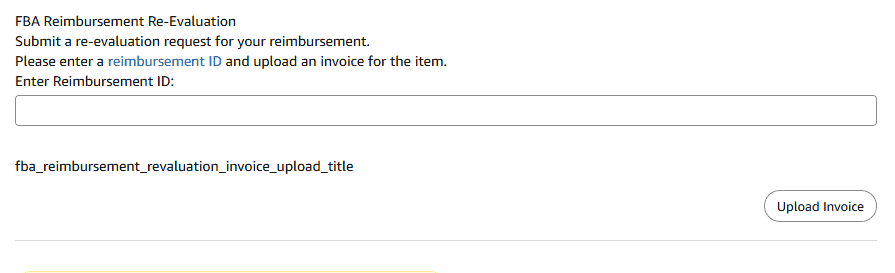
Step 3: Submit a Case to Amazon (link below)
Upload your invoice and follow the steps to file your case, this will have to include reimbursement ID and exact amount that you believe you should be reimbursed.
Step 4: Wait for Amazon’s Review
Amazon might:
- Reimburse you the correct amount straight away
- Ask for additional documentation or proof
- Decline your request outright
If Amazon declines:
- First, reply to the same case with more detail or pushback
- If still rejected, open a new case referencing the original one
- Keep going — sometimes persistence is key
Unfortunately, if they continue to deny the claim, you may have to take the loss. It’s frustrating, but it’s part of the reality of selling on Amazon and exactly why staying on top of reimbursements matters.
How to Chase Overdue Reimbursements
Some reimbursements just don’t get issued until you chase them. This is where tools like Seller Toolkit (STK) come in clutch.
Follow the below instructions to proceed with chasing these overdue reimbursements:
- FBA Reconciliation
- Inventory
- Reimbursement overdue
- Square icon far right
- Envelope icon
- Then follow the steps to copy STK’s message and to open a case
If you’re not using STK, you can also do this manually, it just takes a lot more time and spreadsheet work.

Final Thoughts
Being under reimbursed isn’t a one off problem, it’s a recurring leak that eats into your profits every single month. And Amazon won’t flag it for you. You have to stay on top of it.
Here’s what you should do right now:
- Create a spreadsheet to track every reimbursement claim
- Record: the item, ASIN, cost, reimbursement amount, case number, and status
- Add columns for follow-up dates and notes
- Or, better yet, use a tool or software to automate this
You need visibility. Without it, you’re flying blind.