

In this fourth instalment of the Business Leaks mini series, we’re diving into one of the biggest pain points for Amazon sellers: Returns.
Returns are, without question, one of the most inconvenient, frustrating, and unacceptable forms of leakage in the Amazon FBA model. As sellers, we’ve all dealt with them, and some of the items we get back can be downright shocking. How Amazon allows customers to return items in such poor condition is baffling, and it often leaves sellers footing the bill.
The reality is, there are many stages in the returns process where money can leak from your business. While it’s impossible to eliminate returns entirely, there are steps we can take to minimise the damage, streamline the process, and recover as much value as possible.
In this post, we’ll break down exactly how to handle returns more efficiently, reduce their financial impact, and put systems in place that keep this business leak under control.
What Type of Returns We Receive
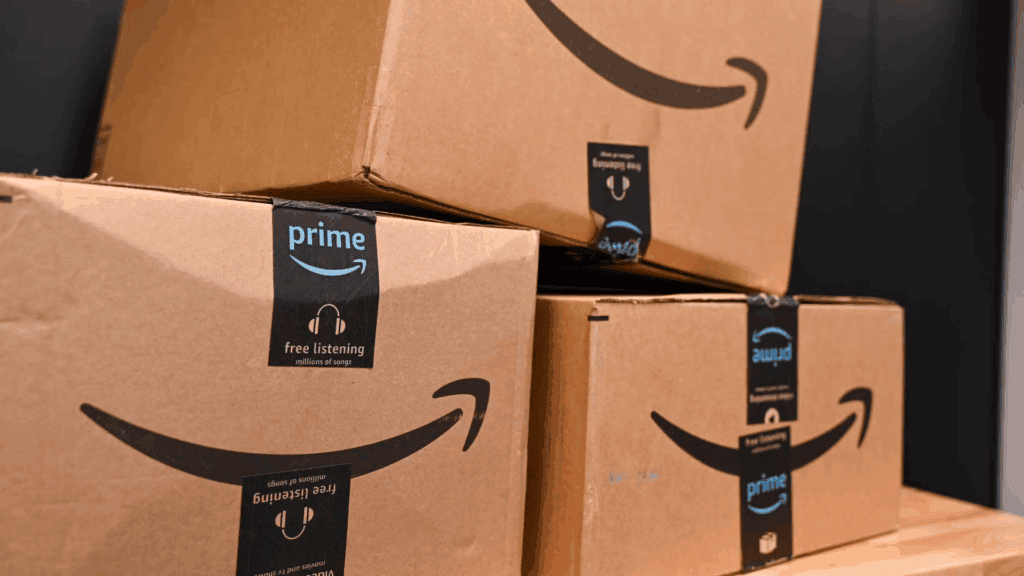
The types of returns we receive as Amazon sellers can vary, but they generally fall into a few common categories:
- Customer Damaged – Items that have clearly been used, opened, or handled poorly by the customer. Sometimes these come back in an unacceptable condition that can’t be resold.
- Faulty Items – Products that are genuinely defective or damaged before reaching the customer.
- Wrong Product Sent – Usually down to us sending in a product under he wrong ASIN.
Each of these return types impacts your business in different ways, some can be resold, some can be refurbished, but others are a total loss. Understanding the categories helps you decide on the best course of action for each case.
What to Do When a Return is First Initiated by the Customer
When a return is first initiated by the customer, the first step is to check exactly why it’s being returned.
- Check the return reason – Go to Inventory > FBA Inventory > Fulfilment by Amazon Returns and review the return reason provided. It’s always important to understand why the item is coming back, whether it’s damaged, faulty, or the wrong product.
- Check Unfulfillable Inventory – Within a couple of days, the item will typically be moved to your Unfulfillable Inventory. You can access this by going to Inventory > FBA Inventory > Unfulfillable Inventory.
- Create a removal order – Once the product is listed as unfulfillable, create a removal order for it. When you do this, make sure to log the following details in your spreadsheet:
- Date of removal order
- ASIN
- Product title
- Track until received – This tracking step is essential. In the past, I’ve had products removed by Amazon that never actually reached me and without tracking, it’s very easy to miss. Keep the removal order marked as “open” in your spreadsheet until the item arrives, then mark it as complete when received.
You can have these items sent directly to yourself, your prep centre, or a dedicated returns processing service, whichever fits best with your business operations.
How to Receive Returns and What to Do When We Receive the Returns
Retain the return slip
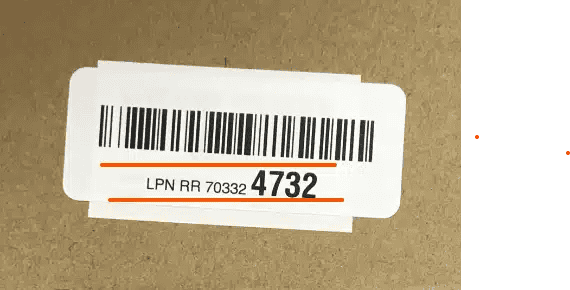
When a return arrives, whether it’s sent to your prep centre or directly to you, open the box carefully and keep hold of the return slip. This slip contains the LPN number, which is essential if you need to claim any money back from Amazon. While you can retrieve LPN numbers from reports in Seller Central, having the physical slip is often faster and more reliable. Amazon will sometimes request a photo of this slip as proof.
Assess the product’s resale potential
Once you’ve confirmed the product details, check whether it can be resold:
- If it’s in perfect condition, put it back into stock and sell it as new.
- If it’s slightly used but in good condition with no parts missing, list it as “Used – Like New” on Amazon.
- If Amazon isn’t an option, consider selling it on eBay or Vinted
- Failing the above, try selling at a car boot sale, self use or charity shop.
How to Process the Returns
Identify missing parts
If there are missing components, open a case with Amazon. Provide them with:
- The LPN number
- A detailed description of the issue
- What part(s) are missing
Amazon should reimburse you fully or partially depending on the situation.
Check for warranty or retailer return eligibility
If you can’t resell the item through Amazon or the above strategies then check whether:
- The item is still under manufacturer warranty
- You have a receipt or order confirmation to return it to the original retailer
Find alternative monetisation options
If returns can’t be using the above resale strategies then consider:
- Selling on Facebook Marketplace
- Repairing or refurbishing the product for resale on eBay
Take the loss if necessary
In some cases, none of the above options will be viable. If so, you’ll have to take the hit and log it as a loss.
Track all returns meticulously
Every return should be logged in your spreadsheet with:
- The item details
- ASIN
- The final outcome (resold, reimbursed, disposed of, etc.)
- The amount recovered or lost
Keeping these records alongside your removal order spreadsheet gives you a complete view of the financial impact of returns and helps identify patterns that may need addressing.

Final Thoughts
Returns are notoriously hard to track, especially with so many different parts to the process. The best way to manage them effectively is to consider outsourcing some of the legwork to a prep centre or a dedicated returns service. This can free up valuable time that can be better spent on other areas of the business.
It is essential to stay on top of returns because every unit returned represents a full cost of goods. If you’re not tracking these losses carefully, you could be missing out on reclaiming a significant amount of money. This is an area I’m personally working on improving as well, and the more diligent you are with your tracking, the less likely you are to let this business leak drain your profits.